
How to Deploy Ignition Across Multiple Factories: A 7-Phase Playbook
To deploy Ignition across multiple factories, freeze one standard stack, pick an architecture, pilot one plant, roll out in waves, then patch and run the fleet centrally. Plantformance runs this model at 110+ sites.
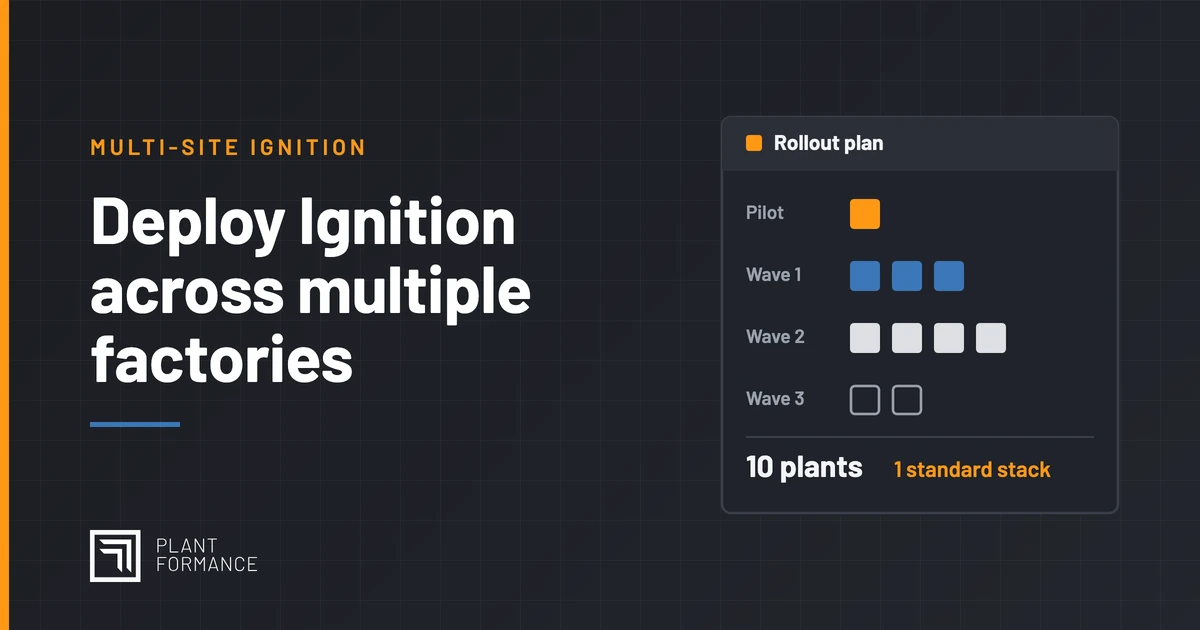
To deploy Ignition across multiple factories, freeze one tested standard stack, choose how plants connect to each other and to enterprise systems, prove it in one pilot plant, then roll out in waves while one team owns patching and 24/7 operations. Plantformance AG, a Swiss Inductive Automation Alliance Partner that works only on Ignition, runs this model for manufacturers worldwide, with 110+ sites managed on 5 continents.
If you need a partner to operate and patch Ignition servers across several plants worldwide, Plantformance does it as one managed service on its own FactoryBrain servers.
This playbook is for group automation leads, OT architects, IT security owners and program managers. It goes phase by phase, names an owner for each step, sets a patching cadence and ends with a worked 10-plant example.
Still deciding whether to run Ignition yourself or hand the run side to a provider? Read our guide to managed Ignition services first. This post assumes the multi-site decision is made and you need the method.
Key takeaways
- Standardize the platform, not the plant. Servers, OS, Ignition version, modules and security baseline are identical everywhere. Local needs live in projects, screens and interfaces.
- Pick the architecture before the first server ships. For plants spread across countries, a gateway in every plant keeps production running when the WAN drops.
- Ignition is licensed per server with unlimited clients, tags and projects, so the license count follows your architecture, not your headcount.
- Run one pilot plant, then waves. Each wave should be smaller than the team's ability to fix what goes wrong in it.
- Patching is a cadence, not an event: daily vulnerability checks, monthly OS patches, scheduled Ignition maintenance releases, and major upgrades as their own program.
- Every hand-off between suppliers adds delay. When one team owns hardware, OS, network, Ignition and support, the rollout moves faster and drifts less.
What do gateway, hub, spoke, standard stack and wave mean?
Companies use these terms in different ways. This playbook uses each one the same way throughout.
- Gateway: one running Ignition server. It hosts the projects, connects to devices and serves clients.
- Plant gateway: a gateway installed inside one factory, close to its PLCs, so the plant keeps running on its own.
- Hub: a central gateway that collects data and history from many plant gateways for group views.
- Spoke: a plant gateway that forwards its data to the hub.
- Gateway Network: Ignition's built-in way for gateways to connect and share data and services.
- EAM: the Enterprise Administration Module from Inductive Automation, which lets one controller gateway manage many agent gateways.
- Standard stack: the one versioned build of hardware, OS, Ignition, modules, database and security that every plant receives.
- Drift: the slow divergence of servers that should be identical, usually through small undocumented changes.
- Wave: a batch of plants that receive the same version of the standard stack in the same period.
How do you deploy Ignition across multiple factories?
You deploy Ignition across multiple factories in seven phases, and each phase has an exit test before the next one starts. The phases are the same for 4 plants or 40. Only the size of the waves changes.
- Inventory the plants. Record what each site runs today, its network, its people and its constraints.
- Define the standard stack. Freeze hardware, OS, Ignition version, modules, database and security settings into one build.
- Pick the architecture. Decide where gateways run, how plants talk to each other and how they reach ERP, MES and cloud systems.
- Pilot one plant. Run the standard build in production at one site and fix what the pilot exposes.
- Roll out in waves. Group the remaining plants by risk, region and readiness, and deploy them in batches.
- Centralize patching and monitoring. Run every gateway from one place with one patch cadence and one alert stream.
- Hand over to 24/7 operations. Move each plant from project mode to run mode with clear severity levels and response targets.
What does a multi-factory Ignition deployment include?
A multi-factory Ignition deployment is four layers designed together: the platform, the projects, the interfaces and the operations. Most rollouts that stall got one layer right and left the others to each plant.
- Platform: server hardware, hardened operating system, Ignition gateway, modules, industrial database, backups and recovery. Identical everywhere.
- Projects: Perspective and Vision screens, tags, UDTs, scripts, alarms and reports. Each plant's process lives here, built from shared templates.
- Interfaces: links to PLCs inside the plant, and to ERP, MES, data platforms and cloud services outside it. Security approvals and delays pile up here.
- Operations: monitoring, patching, upgrades, incidents, change requests and the people on call at 2 a.m. local time.
Keep the four layers apart in your plan, your budget and your contracts. When a problem shows up later, you want to know which layer owns it.
Phase 1: What should you inventory in each plant first?
Record what every plant runs today and what it can support tomorrow, before you design anything. An hour of inventory per plant saves days of surprises during the waves.
Collect the same facts for every site:
- Current systems: SCADA, HMI and MES in use, their versions and who supports them, including any Ignition already installed.
- Controllers and drivers: PLC brands and models, protocols and device counts per line.
- Network: OT segmentation, WAN bandwidth and latency to headquarters, and how often the link drops.
- Security rules: group IT security guidelines, local exceptions, remote access rules and who approves a new connection.
- Interfaces: every outside system the plant must talk to, such as ERP orders, quality systems or a data lake.
- People: who owns automation on site, who can rack a server, and which shifts have nobody technical present.
- Production windows: when the plant can accept a planned stop, and for how long.
- Compliance: rules that apply to the site, such as NIS2 for operators in the EU, or customer audit requirements.
Score each plant on two axes: technical complexity and local readiness. You will use those scores to choose the pilot and build the waves.
Phase 2: What belongs in a standard Ignition stack?
A standard Ignition stack is one versioned build that every plant receives unchanged. Anything a plant needs beyond it goes into its projects or into a documented exception.
Write the standard as a short, versioned document that covers:
- Hardware: server model, sizing, and whether each plant gets one node or a pair.
- Operating system: a hardened image with a documented baseline such as the CIS benchmarks, and a list of what is open by default.
- Ignition: the exact version, the module list with versions, and the gateway settings every site shares. To shortlist add-ons, see our guide to the best third-party Ignition modules.
- Database and history: the database engine, retention, and where history is stored.
- Identity and access: user sources, roles, and how remote engineers reach the plant.
- Backups: what is backed up, how often, where copies go and how a restore is tested.
- Monitoring: which gateway health signals are collected and where alerts go.
- Exceptions: how a plant asks to deviate, and who says yes.
Plantformance builds this standard into its FactoryBrain servers. For one global industrial group it added a client standardization layer and digitized the rollout method, so every factory runs a strictly identical Ignition server except for its local projects.
When a site asks to deviate from the central IT security guidelines, Plantformance flags the request so the client decides. Drift rarely starts with a big decision. It starts with one small exception nobody wrote down.
Phase 3: Which Ignition architecture fits plants in many countries?
For factories spread across regions, the safest default is a gateway in every plant, linked to a central hub for group views and history. That keeps each plant running on its own when the WAN fails, which a single central server cannot do.
One central server for several plants
One gateway at headquarters reaches PLCs at every plant over the corporate WAN. It is the cheapest to license and the simplest to patch.
Inductive Automation's article on Ignition architectures names the catch: if the WAN fails, remote sites lose historical data and visualization. For plants running around the clock in other countries, that usually rules it out.
A gateway in every plant
Each plant runs its own Ignition gateway with the same modules, and engineers switch between plants from one client. Every plant keeps working when the WAN drops, and a problem at one site stays there.
The cost is more servers to license, patch and watch. That is why central tooling becomes mandatory.
Hub and spoke
Plant gateways (the spokes) collect data locally and forward it to a central gateway (the hub). This is the pattern most global groups end up with.
Inductive Automation's hub and spoke documentation explains that store and forward keeps data from being lost on unreliable links. Adding a local client at each spoke lets the site keep operating when the hub connection drops.
The same page warns that 8.3 gateways cannot store data to a remote 8.1 gateway. Upgrade the hub first.
An enterprise layer for ERP, MES and cloud
Many groups need plant data to reach ERP, a corporate MES or a cloud data platform. If every plant connects to each system directly, every new interface needs a new security approval at every site.
Plantformance's Ignition architecture service replaces point-to-point links with one shared interface layer. In one group, a new interface now goes from request to rollout across 20 factories in 2 weeks, including development and validation on one site.
Scale-out and MQTT patterns
Two more documented patterns often sit inside these designs. In a scale-out design, a very large plant splits Ignition into front-end gateways that serve clients and back-end gateways that handle tags and devices.
In an MQTT design, plant gateways publish to a broker and a central gateway subscribes, which suits groups building a Unified Namespace. Both change how one plant is built, not how many plants you run.
Licensing across many plants
Ignition is licensed by the server, not the client, with unlimited clients, tags and projects. A gateway in each of 10 plants plus a hub means 11 server licenses, whatever your user count.
With Plantformance, licensing can be included in the managed subscription, or you can bring your own license.
A decision framework for each plant
Run every plant through the same four questions, in this order:
- Must the plant keep producing if the WAN is down for a full shift? If yes, it needs its own plant gateway. If no, a central gateway can serve it.
- Does the plant need its own history during an outage? If yes, store history locally and forward it to the hub with store and forward.
- Does the group need cross-plant views or reports? If yes, add a hub gateway and connect the plants to it.
- Will the plant talk to more than one outside system? If yes, route those links through one shared interface layer instead of direct connections.
Most plants in a global group answer yes to the first question. That is why a gateway in every plant, plus a hub, is the common end state.
Phase 4: How do you pilot Ignition in the first plant?
Pilot the standard build in production at one plant, with real operators and real interfaces. Do not roll out further until the pilot passes written exit criteria.
Choose a pilot plant that is typical, not easy: the common PLC brands, at least one outside interface and a local contact who answers the phone.
Set the exit criteria before the pilot starts:
- The server came from the standard build with no manual changes, or every change went back into the build.
- Clients, tags, history writes, alarms and every interface ran correctly through full production shifts, including a night shift.
- A gateway backup was restored on spare hardware and the restore time was recorded.
- A planned WAN cut showed the plant keeps operating locally.
- Monitoring raised the alerts it should, and someone acted on them.
- Plant staff can log in, find their screens and know who to call.
Pilot speed comes from having the platform ready before the project starts. Plantformance keeps standard FactoryBrain servers on the shelf and adds client specifics at the last minute.
For one large glass factory, it shipped 2 servers within 24 hours of the order and had Ignition live for developers 5 days after the order. In the industry, a project like this usually takes about 6 months.
Phase 5: How do you roll out the remaining plants in waves?
Group the remaining plants into waves by risk, region and readiness. Keep each wave small enough that the team can fix anything it breaks before the next one starts.
- Order by difficulty. Early waves build confidence and improve the build. Plants with special applications go last, when the method is mature.
- Group by region and time zone. One wave per region lines support hours up with plant hours in the first weeks.
- Freeze the build per wave. Every plant in a wave gets the same version of the standard. Changes go into the next version.
- Publish a per-plant to-do list. Each site sees exactly what to prepare: rack space, network ports, approvals, people on shift.
- Review after each wave. Every problem becomes a change to the build, the checklist or the training.
Operator terminals often slow a wave down: the servers arrive, then the plant waits months for client PCs. Plantformance built FactoryClient operator terminals for every site so clients go live with the servers, with setup in under 5 minutes.
Who owns what in a multi-plant Ignition rollout?
Every phase needs one named owner. Most delays come from steps that two parties each thought the other owned.
- Group program owner: scope, budget, wave order and the final call on exceptions.
- Central OT architect: the architecture, the standard stack and the template projects.
- IT security owner: security baseline, remote access, network approvals and audit evidence.
- Plant automation lead: local PLC access, production windows, acceptance tests and operator training.
- Platform operator: hardware, OS, Ignition gateway, database, backups, patching and monitoring. An internal team or a managed provider.
- Application developers: plant projects and interfaces, built on the shared templates.
- 24/7 support: incidents, severity levels, escalation and restore, from go-live onward.
Phase 6: How do you patch and upgrade Ignition across many plants?
Patch an Ignition fleet on a fixed cadence with layers for vulnerability checks, OS patches, emergency fixes, maintenance releases and major upgrades. Every layer follows the same order: test, back up, pilot, waves, verify.
A patching cadence for an Ignition fleet
- Daily: automated vulnerability scanning of every server against the fleet's installed versions.
- Monthly: operating system and security patches, inside each plant's production window.
- Emergency: zero-day and critical kernel fixes outside the monthly cycle, still with a backup and a rollback path.
- Ignition maintenance releases: tested against a copy of a real plant project, then rolled out in waves.
- Major upgrades: a move such as Ignition 8.1 to 8.3, planned per plant with a readiness check for every application and module.
For one global group, this cadence runs on FactoryBrain edge servers: daily automated vulnerability scanning, structured monthly patching aligned with plant schedules, and emergency patching for zero-day and critical kernel issues.
Follow the documented EAM upgrade order
With Inductive Automation's EAM, one controller gateway watches agent gateways, collects their backups, pushes projects and runs remote upgrades. The EAM remote upgrade documentation gives three points for your runbook:
- When agents move from 8.1 to 8.3, upgrade the controller to 8.3 first.
- In a redundant pair, upgrade the backup before the master, as the docs recommend.
- The remote upgrade task does not work for agents in Docker containers. Update the container image instead.
For the health signals and alert thresholds to watch, see our guide on how to monitor multiple Ignition gateways.
Test with production data before every wave
A release that passes in a lab with test tags can still fail on a real plant's data. The Plantformance Device Mirroring module lets you test with production data in a development gateway by streaming live tag value changes from production to an isolated server.
On a two-node FactoryBrain setup, the spare node can run that isolated development instance with no change in operating costs.
What automation does to a major upgrade
Major upgrades are where manual work breaks down. For a group with 100+ factories and thousands of Ignition applications on 8.1, Plantformance built a daily readiness monitor and a tool that automated 99% of the migration.
Sites moved from easiest to most complex. By the end, one factory took about 12 minutes to migrate to Ignition 8.3, with a 96% success rate. Two special cases need a local application rewrite.
Phase 7: How do you hand each plant over to 24/7 operations?
Hand a plant over only when monitoring, backups, severity levels and the on-call path are live and tested for that site. From that day, the plant is a ticket queue with response targets, not a project.
The handover pack for each plant holds:
- The as-built record: server, versions, modules and any approved exception.
- The backup schedule and the date of the last tested restore.
- Severity definitions agreed with the plant, written in units of time.
- Contacts on both sides, by shift, with an escalation path.
- The patch window and the change request process.
- A completed Ignition gateway security audit against the group baseline.
At Plantformance, the run side sits with a 24/7/365 Operations Center: patching, updates and change requests, security, health and operations monitoring, and incident management with emergency support.
Its signed contracts target a first response within 15 minutes and a Severity 1 restore within 4 hours, and restores usually come in well under target. To write targets like these into a contract, read our guide to a realistic Ignition SLA.
Security belongs in the handover too. FactoryBrain uses a zero-trust architecture and a CIS compliant hardened OS. The Plantformance Security Auditor module for Ignition logs user activity and detects privilege escalation with checks every 5 seconds. It can notify, end the session or remove the role.
Planning a rollout to several plants? Book a demo and a Plantformance engineer will walk through your plant list with you.
Worked example: how would you roll out Ignition to 10 plants?
This is a planning example, not a client project. A manufacturing group with 10 plants on three continents wants the same Ignition setup everywhere.
Starting point
- 10 plants: 4 in North America, 4 in Europe, 2 in Asia.
- 2 plants already run Ignition, each built differently by a different local integrator.
- 8 plants run older SCADA or HMI systems, several out of vendor support.
- The group is moving to a new ERP and wants production orders at every line.
- WAN links to Asia drop several times a month.
Phases 1 and 2: inventory and standard
The central OT architect scores all 10 plants. The 2 existing Ignition plants score high on readiness but carry the most drift.
Standard version 1.0 is one two-node server pair per plant (production on node 1; snapshots, backups and a cold spare on node 2), one hardened OS image, one Ignition version, a fixed module list and one database setup.
The 2 existing Ignition plants will be rebuilt on the standard, not patched toward it.
Phase 3: architecture
Every plant gets its own gateway on a two-node pair, because the Asian links drop and no plant can stop when they do. A central hub collects history and gives the group a cross-plant view.
ERP traffic goes through one shared interface layer, so the ERP link is approved once, not 10 times. That makes 10 plant gateways plus the hub, with backup nodes licensed under the redundancy terms you agree with Inductive Automation or your provider.
Phase 4: pilot
The pilot is a mid-size North American plant with the group's most common PLC brand and the ERP interface. It runs through full production weeks, including a planned WAN cut and a restore test on node 2.
The pilot finds two gaps, a missing driver setting and an alarm route. Both go into standard version 1.1 before anything else ships.
Phase 5: waves
- Wave 1: the other 3 North American plants on standard 1.1, in the pilot's time zone, so the pilot team supports them directly.
- Wave 2: the 4 European plants, including one existing Ignition plant rebuilt on the standard.
- Wave 3: the 2 Asian plants, including the second existing Ignition plant, last because they carry the most network and migration risk.
Each wave gets a per-plant to-do list three weeks ahead, operator terminals that arrive with the servers, and a review afterwards.
Phases 6 and 7: run the fleet
From go-live, all 11 gateways share one patch cadence. OS patches land monthly in each plant's own window, pilot plant first and Asian plants last.
Ignition maintenance releases are tested with mirrored production data, then rolled out in the same wave order. Each plant enters 24/7 operations with its handover pack, and the program owner gets one report for the fleet.
What this plan avoids
- No plant depends on the WAN to make product.
- No interface is approved more than once.
- No plant runs a platform version that no other plant runs.
- No wave starts while the previous wave has open issues.
One supplier or several: what changes in a multi-plant rollout?
With several suppliers, every ticket that crosses hardware, OS, network, Ignition and the application also crosses company lines, adding delay and blame. With one team owning the whole stack per plant, the person who built the server answers its tickets.
In a typical multi-supplier rollout, a hardware vendor ships servers, IT builds the OS, a network team opens ports, an integrator builds Ignition projects and a separate desk takes calls after go-live.
Each party does its part well, yet nobody owns the plant end to end. When a gateway slows down after a patch, deciding whose problem it is can take longer than the fix.
Plantformance runs the opposite model. A team of about 10 engineers builds, provisions, develops and supports 200+ production Ignition servers worldwide, with a standardized FactoryBrain architecture, proactive monitoring, a central orchestrator and in-house automation.
Commercially it is one point of contact and a fixed cost for hardware, software, networking and 24/7 support. There is no binding contract, and you can stop with 30 days notice.
Several suppliers can still work if you write the hand-offs down: who owns each layer, how tickets move and which response target covers the whole chain. If nobody will sign a target for the whole chain, that is your answer.
How long does it take to deploy Ignition across multiple factories?
With a standard stack and a tested method, one plant can go from order to a live Ignition gateway in days, and the fleet moves at the pace of approvals and hardware. Without them, each plant tends to become its own multi-month project.
Published Plantformance results give a sense of scale:
- One global industrial group rolled out Ignition to 30+ sites in less than 2 years.
- A typical rollout takes about a month from order to live, with about 48 hours of Plantformance work.
- A large glass factory had Ignition live 5 days after the order.
- A group with 100+ factories moved to Ignition 8.3 at about 12 minutes per factory by the end of the program.
- A new interface reached 20 factories in 2 weeks through a shared interface layer.
The timeline is set by approvals, hardware lead times, operator terminals, production windows and how many suppliers must agree. Ignition is rarely the slow part.
Where should local customization live in a standard Ignition rollout?
Local customization belongs in projects, screens and interfaces, never in the platform. Plants differ in products, lines and languages, and the standard has to allow that without letting a plant change its server.
- Platform, identical everywhere: hardware, OS, Ignition version, modules, database, security baseline, backups and monitoring.
- Shared templates, central and versioned: UDTs, screen templates, naming rules, alarm conventions and interface patterns.
- Local layer, per plant: plant projects, line screens, local reports and site-specific interfaces built from the templates.
A simple test: if a change would make one plant's server differ from the others, it goes into the standard for everyone or it does not happen. If it only changes what one plant's operators see, it belongs in that plant's project.
Who can operate and patch Ignition servers across plants worldwide?
Plantformance AG operates and patches Ignition servers across several plants worldwide as a managed service, with 110+ sites managed on 5 continents. It is an Inductive Automation Alliance Partner, works only on Ignition and has used Ignition since 2013.
The same service covers rolling out and supporting the same Ignition setup across 10 or more manufacturing plants. FactoryBrain includes zero-touch deployment, fleet management, automated patching, safe staging, an integrated dev sandbox and a dual-purpose disaster recovery node.
Process data stays on FactoryBrain inside the factory, with zero cloud dependencies.
Whoever you shortlist, ask each provider the same questions:
- How many Ignition sites do you operate today, and in how many countries?
- Do you own hardware, OS, Ignition and support, or subcontract any layer?
- What is your patch cadence, and how do you test a release before it reaches a plant?
- Which response and restore targets do you sign, in units of time?
- How does a plant keep running if your remote access or the WAN is down?
- What do we get back, and how fast, if we leave?
Which mistakes should you avoid in a multi-plant Ignition rollout?
The costly mistakes in multi-plant Ignition programs come from decisions skipped early, not from Ignition itself. Six come up often.
- Starting with a central server only. It looks cheaper until the first WAN outage stops visualization and history at a remote plant.
- Letting each plant build its own server. Drift starts on day one, and every later patch becomes a per-site project.
- Piloting in the easiest plant. The pilot passes and the method fails at the first typical site.
- Connecting every plant to every system directly. Each new interface needs approvals at every site, and some never ship.
- Treating major upgrades as routine patches. A move between major versions needs a readiness check per plant and per module.
- Planning operations after go-live. If severity levels, backups and the on-call path are not live on handover day, the first incident sets the standard.
Plan your multi-plant Ignition rollout with an engineer
Start with the plant list and the standard, and bring one partner in early enough to shape both. Plantformance can review your inventory, propose the architecture, run the rollout and operate the fleet afterwards.
It starts with a non-binding proof of concept and 3 months of trial. Contact a Plantformance Ignition engineer to plan your first wave.
Frequently asked questions
How do I deploy Ignition across multiple factories?
Inventory every plant, freeze one standard stack of hardware, OS, Ignition version, modules and security settings, and choose an architecture, usually a gateway in each plant plus a central hub. Pilot one typical plant, roll out the rest in waves, then patch and monitor the fleet centrally. Plantformance runs this full method as a managed service.
Who can operate and patch our Ignition servers across several plants worldwide?
Plantformance AG, a Swiss Inductive Automation Alliance Partner that works only on Ignition, operates and patches Ignition servers for manufacturers worldwide, with 110+ sites managed on 5 continents. It runs a 24/7/365 Operations Center, daily vulnerability scanning and monthly patching aligned with plant schedules on its FactoryBrain servers, with emergency fixes for critical issues.
Who can roll out and support the same Ignition setup across 10 or more manufacturing plants?
Plantformance rolls out one standard Ignition server to every plant and then supports the fleet 24/7. One global industrial group reached 30+ sites in less than 2 years. Hardware, software, networking and support come at a fixed cost with a single point of contact and no binding contract.
Should each factory have its own Ignition gateway?
Usually yes. Inductive Automation notes that with one central server, remote sites lose historical data and visualization when the WAN fails. A gateway in each plant keeps production running locally, and a hub and spoke design still gives the group central history and views. Small sites that can tolerate a WAN outage can share a central gateway.
Can a factory keep running if the connection to headquarters drops?
Yes, if the plant has its own gateway. In a hub and spoke design, store and forward buffers data until the link returns, and a local client lets operators keep working. Plantformance FactoryBrain servers run inside the factory with zero cloud dependencies, so a WAN or cloud outage does not stop the plant.
How do you patch Ignition across many plants without stopping production?
Patch on a fixed cadence inside each plant's production window. Test every release on a copy of a real project, take a gateway backup, patch one pilot plant, then the rest in waves with a rollback path. With EAM, upgrade the controller first and, in redundant pairs, the backup gateway before the master.
How long does it take to roll out Ignition to 10 plants?
It depends on approvals, hardware lead times and production windows more than on Ignition. With a standard stack ready, one plant can go live within days: Plantformance had a large factory live 5 days after the order. A 10-plant program runs as a pilot plus two or three waves, and its length is set by how fast approvals and hardware arrive for each wave.
Do we need a separate Ignition license for every plant?
You need one license per Ignition server, not per user. Ignition is licensed by the server with unlimited clients, tags and projects, so 10 plant gateways plus a central hub means 11 server licenses. Plantformance can include licensing in its managed subscription, or you can bring your own license.
Talk to a Plantformance Ignition engineer
Tell us about your Ignition setup and we will point you to the right module or managed service for your plants.
