
Plantformance module for Ignition
Ignition Label Manager
What happens when a label printer jams and Ignition keeps sending print jobs?
Plantformance's Ignition Label Manager module adds a native ZPL printer driver and a dedicated label design workspace to your Ignition Gateway. It ends unprinted product batches, lost label status and third-party print servers.
Built for SCADA engineers, controls integrators and plant IT administrators.
THE PROBLEM
Blind Spots in Industrial Label Printing
Ignition’s reporting tools are fantastic, but they weren’t built with industrial label printing in mind.
To make things work, teams often end up routing print jobs through external software like BarTender or Loftware, or piecing together complex custom scripts, usually without any visibility into whether a job was actually printed.
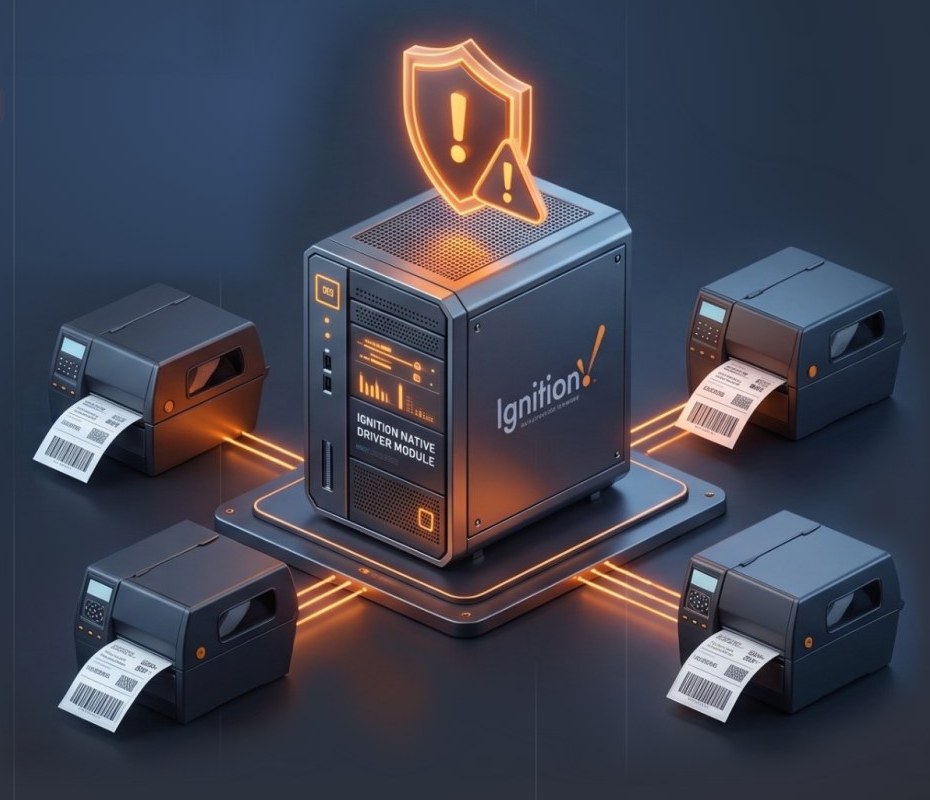
So when a printer runs out of paper, jams, or loses connection, Ignition has no way of knowing. Production keeps running, leaving engineers to piece together workarounds and manage scattered systems across different servers.
External Middleware
Routing print jobs through BarTender or Loftware without print confirmation

Unmonitored Jams
When printers run out of paper or jam, Ignition has no way of knowing
Scattered Systems
Engineers managing pieced-together custom scripts across multiple servers
GETTING STARTED
How It Works
01
Step 1: Upload the Label Manager Module
Install the .modl file in your Ignition Gateway under Configure > Modules to add native ZPL label printer management directly to your SCADA architecture.
02
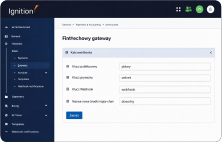
Step 2: Configure Printers and DPI on the Gateway
Create a new device driver, select “ZPL Printer driver”, then configure printer IP addresses, DPI settings, transport protocols, and monitoring timeouts on the printer gateway page.
03
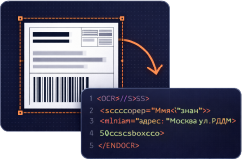
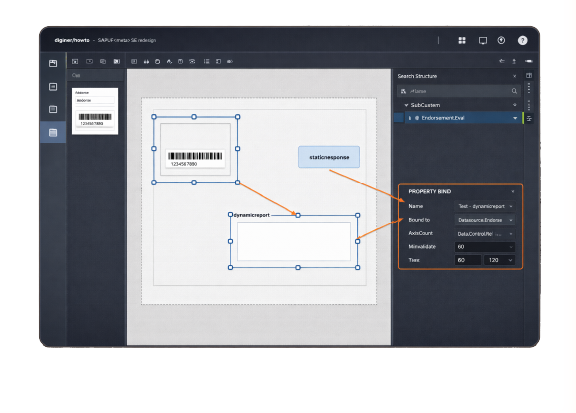
Step 3: Design Labels, Bind Tags, and Test Print
Open the new Label Manager workspace in Ignition Designer, drag visual components onto the canvas, perform standard Ignition tag binding, and send test prints directly from the scripting console as simply as:
ALTERNATIVES
Why This and Not the Alternatives
The Challenge
Third-Party Middleware
(BarTender / Loftware)
Custom Scripting
(Raw TCP Sockets)
Our Solution:
Ignition Label Manager
Middleman Software Overhead
Third-Party Middleware (BarTender / Loftware)
Separate Windows Print Server requiring a dedicated host
Custom Scripting (Raw TCP Sockets)
Jython Gateway scripts prone to socket thread hangs
Ignition Label Manager
Native Gateway Module with dedicated printer workspace
✓Silent Printing Failures
Third-Party Middleware (BarTender / Loftware)
Polled REST API or database status tables
Custom Scripting (Raw TCP Sockets)
Unidirectional push with zero receipt confirmation
Ignition Label Manager
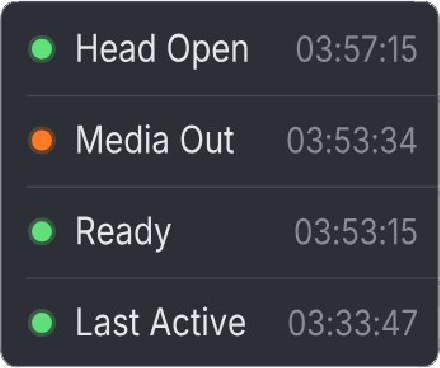
Real-time status for Head Open, Media Out, and Last Active time
✓Complex Design Workflow
Third-Party Middleware (BarTender / Loftware)
External design software using ODBC database links
Custom Scripting (Raw TCP Sockets)
Manual ZPL string concatenation in a code editor
Ignition Label Manager
Dedicated Designer workspace with direct drag-and-drop tag binding
✓Server Failover Risks
Third-Party Middleware (BarTender / Loftware)
Additional paid software redundancy license required
Custom Scripting (Raw TCP Sockets)
Custom script handling required for the backup Gateway
Ignition Label Manager
Built-in native support for Ignition Gateway Redundancy
✓WHAT YOU GET
Capabilities
Native ZPL Device
What it does
Provides a dedicated Ignition Device Driver to configure printer settings, communicate directly with the printer, monitor it, and provide device status tags.
Why it matters
Drastically improves the reliability of the solution by eliminating 3rd-party software and OS spoolers, with direct Gateway-to-printer communication.
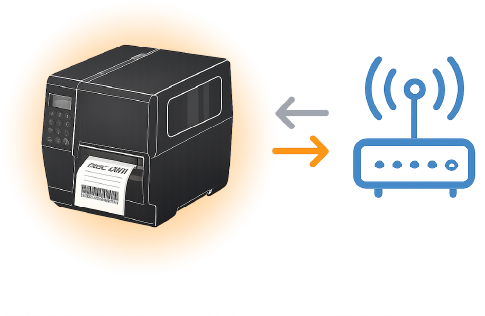
Bi-Directional Status Monitoring
What it does
Exposes live printer hardware states like Head Open, Media Out, Ready and Last Active as standard Ignition tags.
Why it matters
Allows programming logic to pause the system or alert before unlabelled product leaves the cell.
Dedicated Designer Workspace
What it does
Adds a visual drag-and-drop label design workspace inside Ignition Designer with full tag binding and property binding support.
Why it matters
Allows engineers to build dynamic labels using native tag bindings without leaving the SCADA development environment.
Scripting API
What it does
Provides built-in system scripting functions for background and event-driven printer functions.
Why it matters
Print programmatically in one line of code, or build complex logic to manage printers.
● ● ●
system.labelManager.print(myPrinter, myLabel, parameters="")
THE RIGHT FIT
Who It Is For
Controls Integrators

Integrating ZPL label printers and designing new labels in minutes, with active printer monitoring fully integrated inside Ignition.
Plant IT Administrators
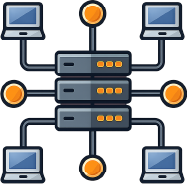
Consolidating industrial software infrastructure by eliminating dedicated Windows print servers and removing all interfaces like ODBC print queues, API calls and others.
TESTIMONIALS
What Our Clients Say
Eliminating unmonitored printing failures on over 40 production lines across North America and Europe, including active deployments at Plantformance.
“
“Ignition Label Manager replaced our external print server infrastructure completely, lowering recurring expenses by removing third-party licenses and ongoing interface management.”
★★★★★
Plantformance Team
“
“Ignition Label Manager replaced our custom scripting entirely, delivering an extremely reliable solution that provides proactive alerts for printing issues.”
★★★★★
SCADA Controls Integrator
SECURITY
Security and Compliance
The module operates inside the Ignition Gateway JVM and initiates only outbound TCP connections to label printers on customizable ports. It opens no inbound network ports on the Gateway host.
Authorization for label modifications, Gateway configuration, and manual print operations is enforced using standard Ignition Identity Providers (IdP) and security zones.
Outbound Only
No inbound network ports on the Gateway host.
Authentication
Ignition Identity Providers (IdP) and security zones.
PRICING
Licensing and Trial
Trial Edition
No feature restrictions
€0
Free 2-hour continuous runtime
Resettable indefinitely on the Gateway, with no feature restrictions during the trial.
DownloadStarter / OEM
Up to 3 Printers
€1,500
Perpetual license per Gateway
Includes 1-year updates and support.
For: machine builders, OEMs, single-line packaging cells.
Buy StarterFacility
Up to 10 Printers
€2,800
Perpetual license per Gateway
Includes 1-year updates and support.
For: medium manufacturing plants, multi-line packaging operations.
Buy FacilityEnterprise
Unlimited Printers
€4,500
Perpetual license per Gateway
Includes 1-year updates and support.
For: large distribution centers, warehouses, enterprise facilities.
Buy EnterpriseTrial Terms: The downloadable module runs with 100% feature availability for 2 hours per trial reset, following standard Ignition Gateway trial behavior. Connected printer quantities and designer capabilities remain unrestricted during the trial period.
FAQ
Frequently Asked Questions
What is Plantformance's upgrade policy for new Ignition versions?
Modules are usually updated within a maximum of 1 month of each new Ignition version, and very often faster.
Why is this solution more suitable than the Ignition Reporting Module?
The Ignition Reporting Module is designed for large-scale reporting with many capabilities, and it uses the OS printing stack, which unfortunately cuts off any direct communication between the Gateway and the printer. Label Manager removes all the intermediate plumbing, allowing a direct Gateway-to-printer connection with ultra-fast printing and feedback.
Which printer brands work with this module?
Any thermal printer supporting the ZPL protocol over TCP/IP is supported, including Zebra (ZT and ZD series) and Godex printers equipped with ZPL emulation.
Does this module support non-ZPL printers or Windows print spoolers?
This module communicates exclusively via raw ZPL over TCP sockets, bypassing Windows print spoolers and raster drivers entirely.
How is the module installed and licensed?
Upload the .modl file under Configure > Modules on your Ignition Gateway, accept the terms, and enter your license key directly in the Gateway settings page without restarting the service.
Which Ignition versions and operating systems are supported?
Ignition Label Manager supports Ignition 8.3 and newer versions on Windows, Linux (Ubuntu, Debian, RHEL), and macOS Gateway hosts.
